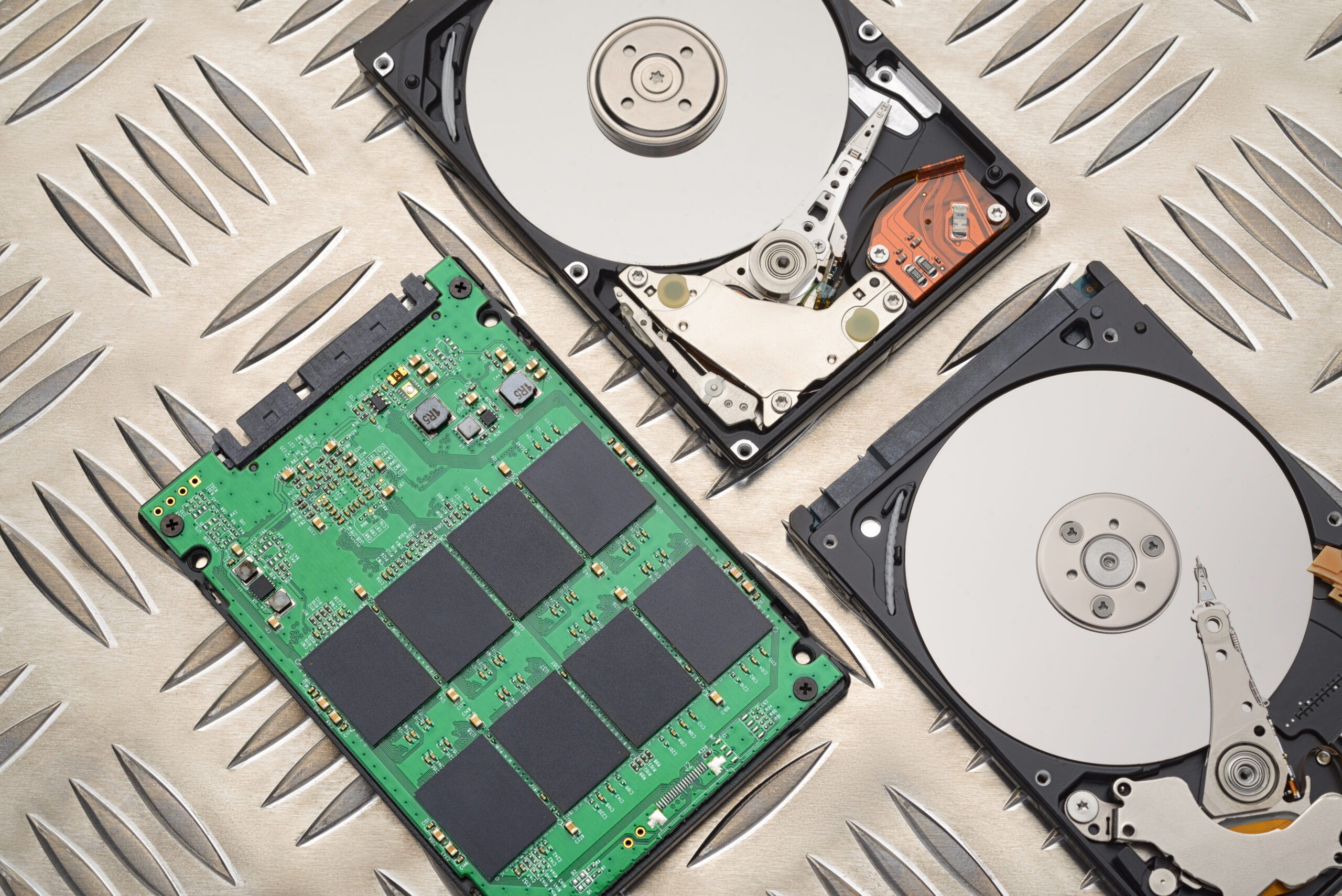


As we use our computer more and more daily, it becomes critical to have enough storage space. High-quality HD videos, big files, and various software applications can fill up even the biggest hard drive. However, there are plenty of tricks that can be used to free up some space in our computers. Therefore, the purpose of this guide is to show the reader what can be done to get rid of gigabytes of unnecessary information. Overview of Computer Storage There are different types of storage devices: hard disk drives (HDDs), solid-state drives (SSDs), and flash drives. While HDDs use a physical disk and mechanical heads to read/write the data, SSDs contain interconnected flash memory chips. At the same time, the flash drives are relatively small and can fit into pocket-sized places; moreover, they have a lot of additional features. Knowing the peculiarities of each of these storage devices can help the user decide how to manage the storage space.
Identification and Removal of Unnecessary Files One of the easiest ways to release some storage space in the computer is getting rid of the unnecessary files. In fact, there are lots of such files on any computer: they include duplicate files, files in the Recycle Bin, and temporary files or system logs. The last one is especially dangerous since they take lots of gigabytes of information. It can be stated that temp files are stored by application programs or operating systems. Such files are used to store some temporary information that will be used later, however, they are useless after this period.
Management of File Types and Locations One of the ways to increase the speed of finding information is organizing files in proper places according to their types. Thus, it is recommended to use folders to place various files in accordance with their types. Cloud storage can serve as a great alternative to keep all information in case if the user does not want to keep files locally. Cloud storages like Google Drive, Dropbox, OneDrive allow us to store information and use it at the same time as long as we have the Internet connection. Moreover, the files can be compressed to free up some storage space.
Software Optimization Software and applications can be considered as one more reason why our computer runs slower and its storage space is limited. In fact, there are lots of bloatware on every computer that was not actually installed by the owner and that does not work. By getting rid of unnecessary software, a person will save his/her valuable storage space. However, sometimes updates are required, and it takes some extra space in return. In addition, software should be constantly updated to avoid any troubles.
Using External Storage Devices External storage devices provide an opportunity to increase the storage capacity of our computers without changing anything. There are many types of external storage devices: external hard drives, solid state drives, and USB drives. When choosing the suitable device, it is essential to pay attention to the storage capacity and the type of interface as well as whether it is possible to connect the device remotely to a computer or laptop. At the same time, a NAS device that is a network-attached storage device can be useful to store information for several computers at the same time.
Using Cloud Storage Services Cloud storage services like Microsoft OneDrive, Google Drive, and Dropbox allow people to store their information online and use it as much as necessary. Using cloud storage can help people not only save their storage space but also secure their information by backing up it. In addition, there are many services that can be used to do such actions.
Computer Storage Maintenance Regular maintenance of computer storage is one more way to preserve it in a good condition. Such activities include disk cleanup, defragmentation, and disk error checking. They should be performed regularly to ensure that the computer works well. Apart from that, software updating is necessary in order to maintain the computer storage healthiness.
Use of Storage Optimization Software There are many storage optimization software programs that allow users to get rid of unnecessary data, organize files, optimize the computer for better work, etc. Thus, disk cleanup software products include CCleaner and Glary Utilities that remove such information as temporary files, system logs, etc. Besides, there are software applications like Defraggler and Auslogics Disk Defrag that help to optimize storage devices and defragment it.
Conclusion To sum up, there are many ways to optimize storage space of our computers. The presented article provided some tips to achieve this aim.