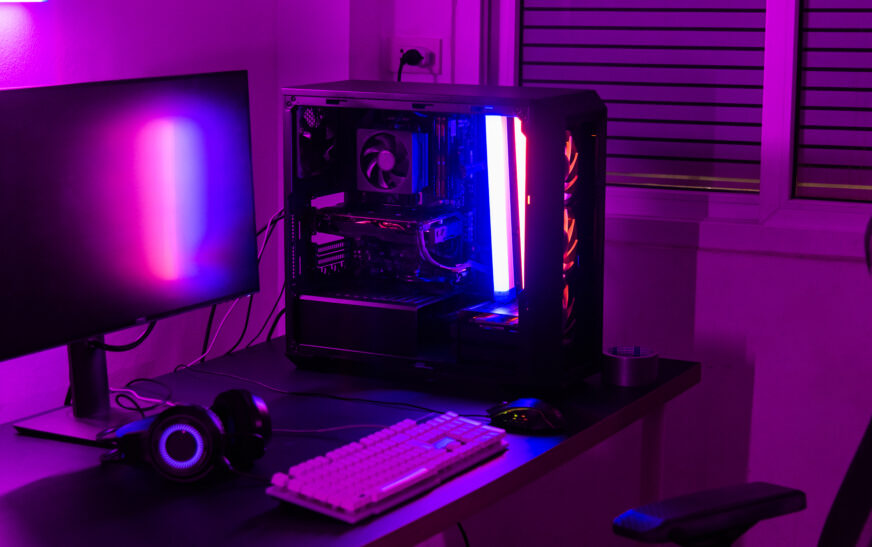
Building a custom PC may seem difficult at first for someone who never had to deal with building a PC from scratch before, yet it becomes an easy task once guided correctly. The article below will provide tips on how one can build a custom PC as a beginner in terms of choosing components, installing the operating system, and optimizing performance. Choosing the Right Components
Before going further, it is crucial to discuss several components that will help one get a better idea of what type of hardware to buy. The CPU, for instance, is responsible for computing instructions sent to a computer. In terms of choosing a CPU, one needs to pay attention to the clock speed, number of cores, and cache size; for gaming and productivity purposes, a mid-range CPU with a clock speed of 3.5 GHz and 4-6 cores would work just fine. Among the best CPUs on the market, there are AMD Ryzen 5 and Intel Core i5.
Next, one should mention the motherboard that connects different parts of a computer with the help of a circuit. In terms of picking a motherboard, one will have to pay attention to its compatibility with the CPU, number of RAM slots, and expansion options. In this case, it is preferable to purchase a motherboard with an excellent power delivery system, USB 3.2 Gen 2 ports, and some storage options. As for the most reliable motherboards on the market, one can choose between ASRock B450M Steel Legend Micro ATX and MSI B550M BAZOOKA.
Random Access Memory or RAM, to be precise, stores data in a temporary way and transfers applications within seconds. When buying RAM, it is vital to think about the speed, capacity, and timing. Gaming and productivity require at least 16 GB of DDR4 with a minimum of 3200 MHz. The best RAM modules on the market include Corsair Vengeance LPX 16 GB (2×8 GB) DDR4 3200 MHz and G.Skill Ripjaws V 16 GB (2×8 GB) DDR4 3200 MHz.
The fourth component to focus on in terms of building a custom PC is the storage device which serves as a place where all programs and files are located. Here, one will have to choose between capacity, speed, and interface. In this situation, one can go for at least 256 GB of NVMe SSD. Among other things, one can choose Samsung 970 EVO Plus 1TB M.2 NVMe SSD and WD Black SN750 1TB NVMe SSD.
Finally, one should mention the graphics card used for rendering images, graphics, and video. As for choosing a graphics card, it is important to focus on performance, power consumption, and compatibility. A mid-range graphics card with at least 4 GB of GDDR6 with a clock speed of 1400 MHz would do well for gaming and productivity. As for the best GPUs on the market, one can mention NVIDIA GeForce GTX 1660 Super and AMD Radeon RX 5600 XT.
Installing the Operating System
Once a person chose all the necessary hardware components, the next thing they will need to do is install an operating system. To start with, it is vital to pick the operating system based on several factors such as compatibility, usability, and features. In this case, one can choose Windows 10 Home and Linux Mint for personal and productivity use.
To install an operating system, one will need to download installation media from the manufacturer’s website and create a bootable USB drive. Afterward, they need to plug in the drive to install the operating system and make some configurations such as language, time zone, and keyboard layout.
Optimizing Performance
Now that the user knows how to pick components and install an operating system, the next stage is to optimize computer performance. Some basic performance optimization methods include changing the power settings, disabling unnecessary applications at startup, and updating drivers. To switch to high performance, the user has to go to the Power Options menu and pick it.
When it comes to disabling unnecessary applications at startup, the user will need to open Task Manager and select Startup to find out the list of applications. Updating drivers is also a useful method since one can simply go to Device Manager and click Update Driver to fix issues with hardware and improve the performance of a custom computer.
Troubleshooting Common Issues
At this stage, it is essential to address issues that one can face while assembling a computer and installing the OS. First, there might occur hardware incompatibility that one can deal with in different ways – consult the motherboard manual and change the hardware to solve this issue.
In the second place, the user may find themselves in a situation with driver issues, meaning that the user will need to update the driver using the same technique as mentioned above. Third, the software conflict is another issue that can be easily solved by uninstalling and reinstalling programs causing conflicts.
Conclusion
Building a custom PC does not necessarily require professional knowledge and skills – with a few tips, a person will definitely succeed. In this article, one can find information regarding the right choice of hardware components, installation process, optimization, and troubleshooting techniques.