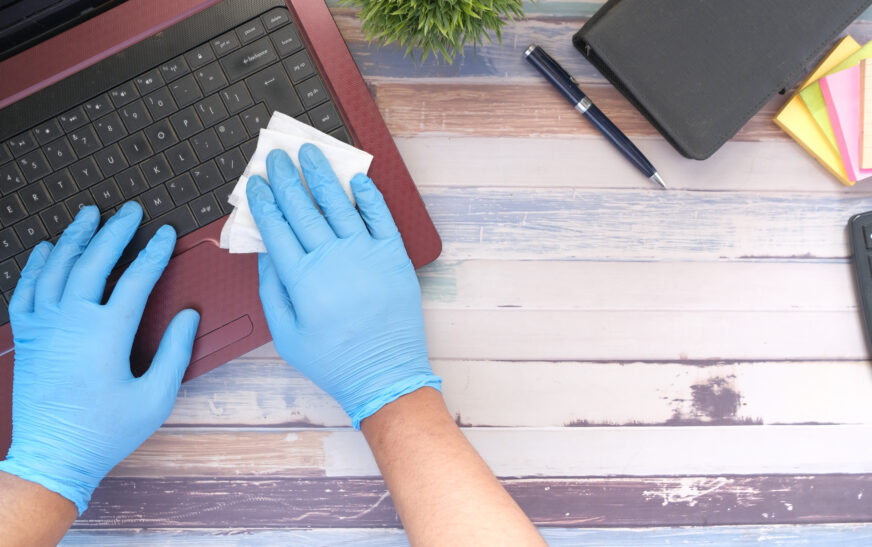
Cleaning of the laptop and keyboard is a procedure, which will prolong their proper operation, increase the duration of life and prevent the appearance of infections and germs on these items. This process is necessary to perform as often as possible because dirt and dust can provoke overheating of the laptop and problems with its operation. At the same time, a dirty keyboard may become an object, which causes mistakes during typing and infections. Therefore, it is necessary to pay attention to these devices during cleaning and maintain their hygiene.
Selection of Appropriate Cleaning Tools
It is extremely important to select the right cleaning tools to perform this procedure without damaging any components of the laptop or the keyboard. You should consider using a soft bristle brush, a canister of compressed air, a microfiber cloth, and disinfectant spray among others.
However, harsh chemicals, abrasive cleaners, and hard-bristle brushes or rough cloths are not acceptable during this procedure since they may harm your laptop. For example, rough fabric, which is used to wipe the surface of your laptop’s screen may cause scratches. Besides, some disinfectants can destroy the keys or ventilation openings of your laptop. Therefore, it is necessary to be cautious while selecting the disinfectant.
There are many appropriate types of disinfectants for the procedure you need to perform. These include 70% isopropyl alcohol, bleach solutions and hydrogen peroxide-based disinfectants, which are used in certain diluted ratios according to manufacturers’ recommendation.
Preparation for Cleaning the Laptop and Keyboard
It is extremely important to prepare your laptop for further cleaning. In order to do this, you should first turn it off and disconnect it from the power supply to avoid accidents during the procedure. It is also recommended to detach all external devices connected to your laptop.
In addition, lift up your laptop’s keyboard and remove any debris, which may remain there. Once the cleaning of this area is completed, continue cleaning of the laptop.
Cleaning the Exterior of the Laptop and Its Vents
In order to clean the exterior of your laptop, it is necessary to use a microfiber cloth and gently rub its surface. Do not put too much effort while cleaning this area as your laptop’s surface is delicate and easily damaged.
Also, it is recommended to move the cloth in a circle while cleaning it. It is necessary to use a soft-bristle brush to clean the interior of vents. As a result, the circulation of air will be improved. However, be careful enough not to touch any parts inside.
Cleaning the Keyboard
In order to clean the keyboard, you have to turn it upside down and shake it carefully to eliminate any debris remaining there. Next, you need to use compressed air to remove the rest of dust between keys.
Finally, you should use a wet microfiber cloth to clean difficult stains from the keys. However, you have to pay attention to this procedure as you cannot press keys strongly because they may break.
Disinfection of the Keyboard and Laptop
As far as the disinfection of these electronic devices is concerned, you should find a specific disinfection spray and use it to clean them from any bacteria and viruses. Apply the disinfection liquid to a microfiber cloth and gently wipe your keyboard and laptop.
Cleaning the Laptop’s Screen
It is necessary to use a dry microfiber cloth to wipe your laptop’s screen. Remember that it is better to avoid any harsh chemicals and abrasive cleaners since your device is highly vulnerable to any of these factors.
In case there are stains and dirt on your laptop screen, use a solution, which contains equal amount of water and white vinegar to wipe it carefully from top to bottom.
Maintenance of Laptop and Keyboard
Proper maintenance of these devices is essential to improve their service life, prevent overheating problems and eliminate dirt and debris. Therefore, it is important to develop a plan according to which you will perform this routine weekly or monthly.
Tips and Precautions
While cleaning the keyboard and laptop, you should avoid harsh chemicals and abrasives. Also, it is recommended to read the information about the equipment you use as it is important to adhere to the recommendations related to disinfectants.