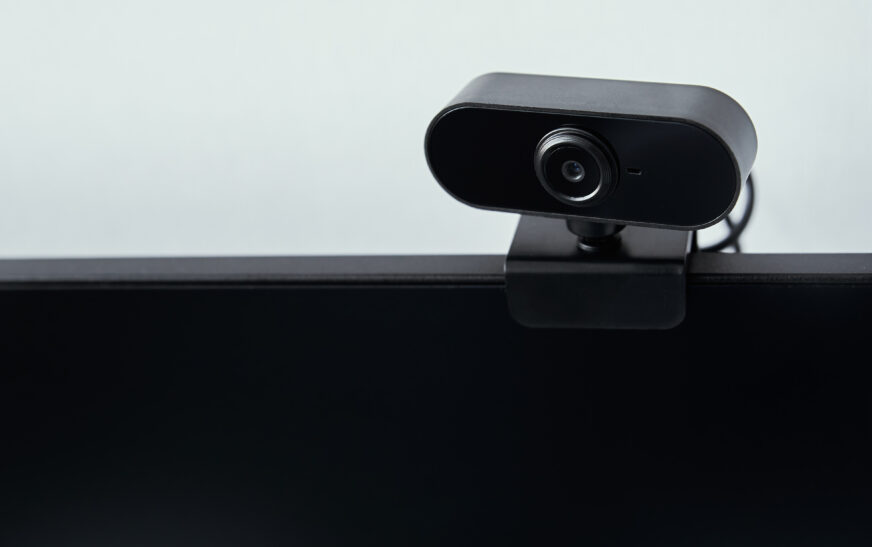
When it comes to online meetings, one of the most important things you need is a high-quality webcam. Blurry or pixelated pictures can affect your meetings negatively, leading to misunderstandings. A decent picture is essential to present yourself professionally and feel confident. Therefore, you should carefully consider several aspects before buying a camera that will serve you well for many years ahead. We will tell you what to pay attention to.
Resolution and Image Quality
It goes without saying that you should pay attention to the resolution and overall image quality. This aspect is crucial, as only with high-quality footage can you be sure that your picture will always be clear. A resolution of 1080p (HD), 1440p (Full HD), or 4K will help you obtain excellent images for professional use. Such a camera will enable you to present yourself clearly and be ready for each online meeting successfully.
Field of view should also matter to you. When buying a webcam, look for those models where this parameter is adjustable. The choice is up to you: a wide angle to show everything or a narrow field of view, as you need to show only your face. A camera can have a rotating lens or a variable field of view.
Sensor Type and Low-Light Performance
Another important point to consider is sensor performance, especially in low light situations. For example, most cameras use CMOS sensors, which are excellent in bright conditions. In low-light conditions, however, such cameras perform much worse. CCD sensors do better in low lighting, yet they cannot be found in webcams. Thus, you need to find the best sensor to meet your needs.
Also, look for a webcam with night vision or low light improvement features. In addition, if you plan on recording videos regularly, a good image stabilizer is also required. Thanks to this component, you can be sure that no blurriness will appear.
Lens and Focal Length
It is also essential to take care of the lens and focal length. A wide angle or telephoto lens can be used to capture various images of objects. A wide-angle camera lens will be great for filming the surroundings. In turn, telephoto lenses will give your videos more depth. Choose the appropriate lens based on your needs.
Focal lengths can vary widely and depend on your preferences. They usually start at about 30mm and end at 90mm. You should choose a lens with variable or fixed focal length according to your tastes. Zoom capabilities are also a plus.
Additional Features and Compatibility
There are several other aspects you should pay attention to when choosing the right webcam for your purposes. One of the main criteria is the presence of additional features. First of all, think about connectivity – whether you need only a USB interface or additional Wi-Fi or Bluetooth connectivity as well.
Make sure you buy a webcam designed according to the principle of plug and play. Also, look for those models that have a built-in microphone or audio jack, which allows capturing high-quality sound. Additional audio options, for example, noise reduction or night mode, will also come in handy. Finally, check out the compatibility of the selected camera with the software you will use during online meetings.
Budget and Brand Options
Finally, do not forget about the budget when making the final decision. There are very expensive cameras with an impressive set of features for around $200. Mid-range models usually cost $50 to $150. In turn, budget devices start at about $20 or $50.
Therefore, you should definitely choose a webcam from a reliable brand, such as Logitech, Razer, or HyperX. But budget brands can also produce decent models and satisfy their owners. Decide whether a specific price category meets your needs.
Buying Tips for Webcams
Of course, you should follow several tips before buying a camera for online meetings. First, read reviews and compare prices. Secondly, analyze the specifications of devices, which will help you make the right choice. Pay attention to warranty service and support.
Finally, you should test the webcam for yourself before buying and make sure that it perfectly fits your device and software. In addition, read the user guide to learn all about features and settings.