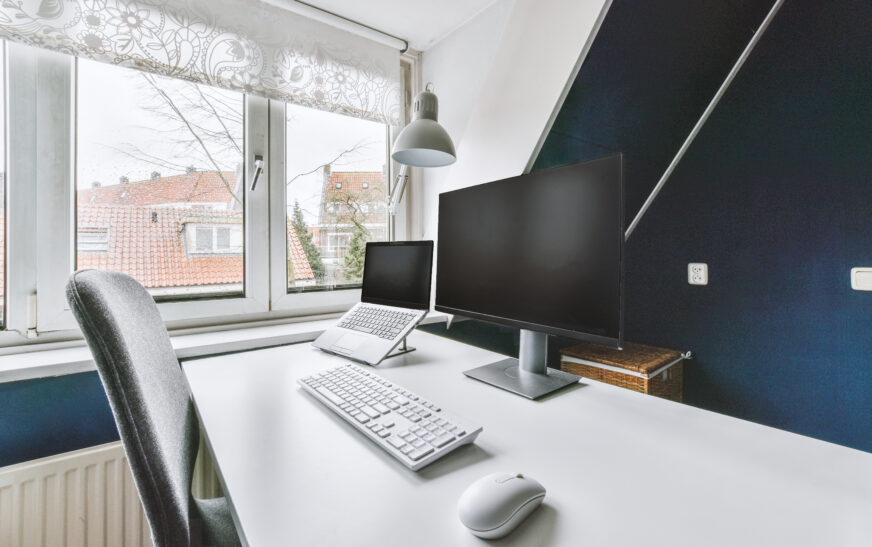
As technology advances at a faster rate, having an effective computer system becomes mandatory for everyone. Be it students, entrepreneurs or remote workers, having an efficient computer system at their disposal ensures that people meet their objectives with ease. There are numerous components to building an effective computer system in your home, which is why it is advisable that before purchasing hardware, one learns everything they must know about computer systems. Here, I discuss how you can efficiently build a home office computer system by providing detailed explanations.
Choosing Suitable Hardware
The first step to building your computer system is choosing suitable hardware. The hardware is made up of the actual physical components, meaning there is need for careful consideration before choosing them. You need to consider your needs to ensure that the purchased hardware fits perfectly into your requirements. Some things to take note of include:
* The type of computer – you can either go for a desktop or a laptop, which is up to you, based on personal preference and requirements. However, the computer must be efficient in meeting your demands, whether for gaming, web browsing, or work purposes.
* Monitor- this is an important component that should not be overlooked because you will be looking at it most of the time. Choose a high-resolution monitor to make life easier.
* The keyboard and mouse – you should choose a keyboard and mouse that is comfortable to use and easy to operate. In case you are tired of wires and cables, get a wireless keyboard and mouse for easy mobility.
Configuring Your Computer
After getting all your components ready, it is time to set up your computer system by following these steps:
* Installing operating system- start by installing the operating system of your choice to ensure the computer is functional. To do so, insert the operating system media and proceed according to the instructions displayed on the screen.
* Network configuration – next, connect the computer to a wireless or wired network depending on the availability of a suitable medium. This enables your computer to access the Internet.
* Installation of software- after completing all the above tasks, install the software needed in your daily activities, e.g. antivirus software and productivity applications.
Essentials of Networking
Networking is another essential part of building a home computer system because, nowadays, everyone must be connected. Below are some of the basics of building a reliable computer network:
* Routers – these are devices that enable computers to access the Internet by serving as a connection point.
* Switches – these allow you to connect multiple computers in a single network to facilitate easy data exchange.
* Network Security – you must invest in a router and switch that has robust security features to protect your computer from any potential threats.
Essentials of Software
In addition to hardware and networking, one must have certain software installed. These are the bare minimum of what a user needs, which include the following:
* Productivity Applications- to increase your efficiency at work, it is important that you download productivity applications like Microsoft Office and Google Workspace.
* Antivirus software – invest in a reliable antivirus program to safeguard your computer from various online threats, such as malware and ransomware.
* Backup Software- to protect your important documents from losing them in case of hardware malfunctioning, consider installing backup software.
Home Office Tips
To create a comfortable place where you work effectively, follow the tips below to set up your home office space:
* Create an ergonomic workplace- this entails getting comfortable seating as well as placing your monitor at eye level. Moreover, take regular breaks to exercise to ensure you don’t develop any musculoskeletal disorders.
* Lighting- to create a comfortable workplace, get a suitable desk light or overhead lighting.
* Minimize Distractions- minimize distraction factors as much as possible because they lower the efficiency of the work done.
Maintaining Your System
To ensure your computer remains operational, you need to maintain it regularly, and these tips come in handy:
* Back up Data– this is extremely vital to ensure you don’t lose anything valuable when the system malfunctions.
* Software Updates- ensure you upgrade all software on your computer to guarantee maximum protection and functionality.
* Hardware upgrades- you can upgrade some of the components, like increasing the processing speed by upgrading the CPU or adding memory to enhance its capabilities.
Conclusion
Building a home office computer system requires great care, especially during its selection and configuration phase. From this article, one should have learned enough tips to build an efficient computer system that meets all their needs.